How to Write SEO-Friendly Blog Titles That Rank
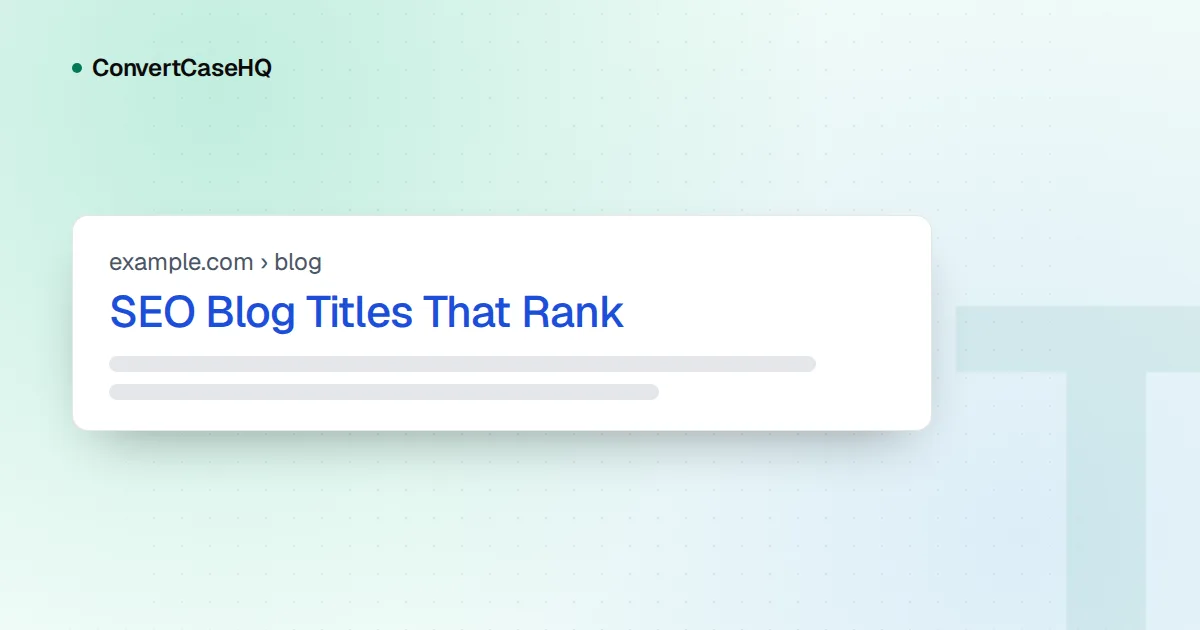
An SEO-friendly blog title says exactly what the post covers, in the words a searcher would type, with the important words first and nothing padded on. The HTML <title> element is Google's main source for the clickable headline in search results, but Google may rewrite it, and there's no fixed character limit, only the width of the screen. A good title won't make a weak post rank. What it does is help Google understand the page and help people choose your result, and those are the parts you control.
Title tag vs H1: two titles with different jobs
Most blog posts have two titles, and they're easy to confuse:
- The title tag lives in the page's
<head>. Readers never see it on the page itself, but it labels the browser tab and bookmarks, and it's the main source for the headline in search results. SEO plugins often call it the "SEO title" or "meta title". - The H1 is the visible headline at the top of the article. It's what readers see once they arrive.
They can be identical, and on most blogs they nearly are. The usual difference is branding: Google's documentation suggests adding your site name at the start or end of the title tag, separated by a hyphen, colon or pipe. This blog does a version of that. The H1 is always the post title, and the title tag adds "ConvertCaseHQ" only when the post title is 45 characters or shorter, which keeps already-long titles from growing longer.
If they differ, keep them about the same thing. A title tag promising "10 templates" over an H1 that says "Why templates fail" is the kind of mismatch that can lead Google to choose its own wording.
How Google creates title links (and why it rewrites some)
Google calls the clickable headline a title link, and its documentation on title links is the best primary source on the subject. Generation is fully automated, and the title tag is only one input. The others include the main visual title on the page, heading elements such as <h1>, the og:title meta tag, other large and prominent text, anchor text in links pointing to the page, and WebSite structured data.
In practice the title tag still wins most of the time. In September 2021, after refining a new title system based on feedback, Google said title elements were being used around 87% of the time, up from around 80%. Google's documentation lists the situations where it's more likely to step in:
- Half-empty titles, such as
| Site Namewhere a template forgot the page name. - Obsolete titles, like "2020 admissions criteria" on a page whose visible heading says 2021.
- Inaccurate titles that list things the page doesn't reliably contain.
- Boilerplate: the same title on many pages, or on a subset of them.
- No clear main title: several headings with the same visual weight. Google suggests making the main title the most prominent text, for example by putting it in the first visible
<h1>. - Language mismatch between the title and the page's main text.
If Google is rewriting one of your titles, check that list first. If none of those apply, Google's own advice is to consider whether its version is a better fit for the query. Sometimes it is. Changes also take time to show up, because Google has to recrawl the page, which can take from a few days to a few weeks.
Title length is about display width, not a character count
You'll often read "keep titles under 60 characters" stated as a rule. Google's documentation says something different: there's no limit on how long a title element can be, and the title link is truncated as needed, "typically to fit the device width."
Width is the key word. Letters aren't equally wide: an i or an l takes a fraction of the space of a W or an M, and capital letters are generally wider than lowercase ones. Two titles with the same character count can be cut off at quite different points, and a title in all capitals runs out of room much sooner than the same words in normal case.
So treat any character count as a rough guide rather than a target. What actually protects you from truncation is word order:
- Put the words that tell people what the page is about in the first half.
- Let the end hold the parts you can afford to lose, like a subtitle or the brand.
- Cut words that carry no information: "ultimate", "complete", "everything you need to know".
When you're comparing drafts, our character counter is a quick sanity check. Just remember that matching character counts doesn't mean matching width.
Writing blog titles that match search intent
A title earns the click when it matches what the searcher wanted. Small words in a query signal the format people expect: "how to" wants steps, "vs" wants a comparison, "examples" wants examples, "template" wants something to copy. If your post delivers one of those formats, say so in the title, using the searcher's words rather than your internal jargon.
Some before-and-after rewrites:
| Weak title | Problem | Stronger title |
|---|---|---|
| Some Thoughts on URLs | Vague, no searchable topic | URL Slugs: Why Hyphens Beat Underscores |
| Title Case Converter, Title Case Tool, Free Title Case | Keyword stuffing | Free Title Case Converter for Headlines |
| The Ultimate Complete Guide to Everything About Headings | Padding pushes the topic out of view | Markdown Headings: H1, H2, H3 and When to Use Them |
| 2023 Guide to Email Subject Lines | Stale year on an evergreen topic | How to Write Email Subject Lines People Open |
About numbers and years: a number helps when it's true and useful ("7 examples" when there are seven). A year helps only when the content really is about that year and you'll update it. Otherwise it turns into one of the obsolete titles Google's system is built to correct. And if you put a year in the title, keep it out of the URL, so next year's update doesn't force a redirect.
Google's documentation also warns against stuffing: titles like "Foobar, foo bar, foobars, foo bars" don't help users and can make results look spammy. One clear phrase beats four variants of it.
Capitalization: title case or sentence case?
Google's title link documentation doesn't mention capitalization at all, so this is a choice about readability and voice, not rankings. Both styles are mainstream:
- Title Case ("How to Write Blog Titles That Rank") is the traditional headline style and feels a little more formal. This blog uses it for post titles.
- Sentence case ("How to write blog titles that rank") reads more like normal speech. Google's developer documentation style guide uses it for all titles and headings.
Whichever you pick, use it consistently across the site, and never use ALL CAPS for a whole title: it's harder to read and, as above, wider. For the detailed rules on which small words stay lowercase, see our comparison of title case vs sentence case.
If you use the Title Case button in our case converter, check acronyms afterwards. It keeps "SEO" and "URL" when you've typed them in capitals and the rest of the title in normal case, but it can't spot an acronym you typed in lowercase ("seo" becomes "Seo"), and it lowercases everything in a title pasted entirely in capitals. Fix those by hand; it takes seconds.
A five-step title workflow
- Write the plainest possible description of the post: "how to write blog titles for search".
- Check the words people actually search with (the queries in Google Search Console are a good source) and swap in theirs.
- Front-load the topic, and move branding and subtitles to the end.
- Make sure the H1, title tag and opening paragraph all promise the same thing.
- Apply your capitalization style, fix acronyms, and read it once out loud.