Writing Cleaner Git Commit Messages with Consistent Case
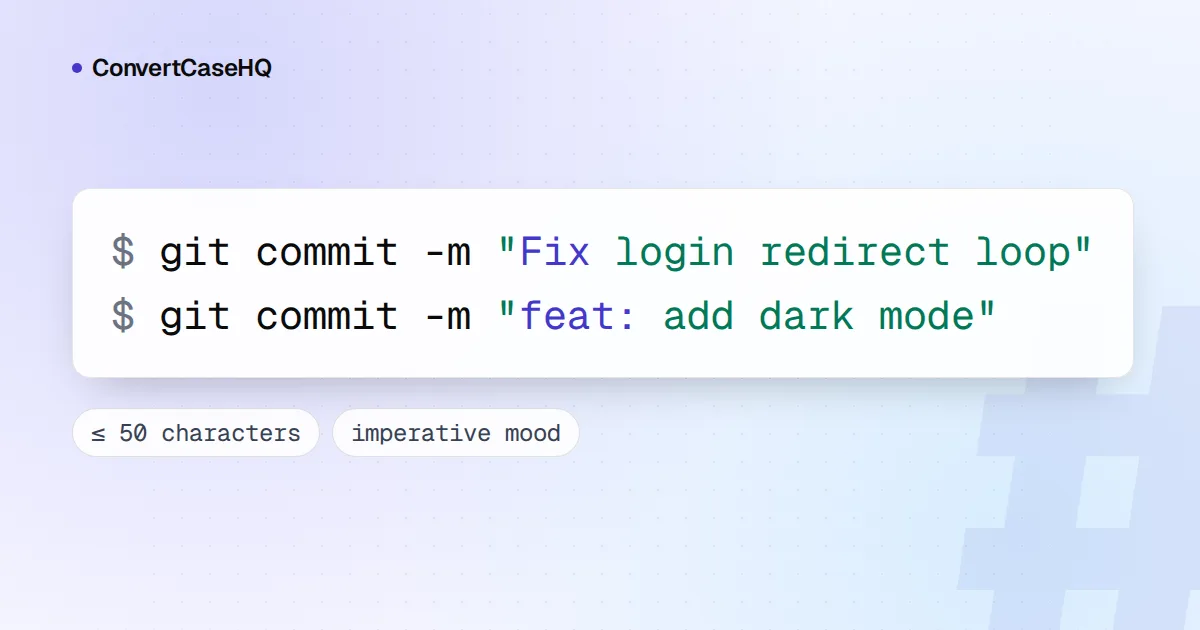
A clean Git commit message has a short subject line (aim for 50 characters) written in the imperative mood, "Add" rather than "Added", with no full stop. Then a blank line, then a body wrapped at 72 characters that explains why the change was made. For capitalization, pick one convention and keep to it: with a prefix like feat: or docs:, the word after it is usually lowercase; without a prefix, the classic advice is to capitalize the first word.
None of this is enforced by Git itself, which is why histories drift. Below are the rules, where each one comes from, and how to make your tools check them so you don't have to remember.
The anatomy of a good commit message
fix(editor): keep cursor position after paste

Pasting into an empty textarea moved the cursor to the start, because
the change handler replaced the value before restoring the selection.
Restore the selection after updating the value instead.

Fixes #142
Three parts: a subject that says what the commit does, a body that says why, and optional footers for references and metadata. Git's own documentation recommends starting with "a single short (no more than 50 characters) line summarizing the change, followed by a blank line and then a more thorough description". Everything up to the first blank line is treated as the commit's title, which is what git log --oneline, git shortlog and git format-patch show.
The subject line: short, imperative, no full stop
Fifty characters is a soft limit. The Git project's own SubmittingPatches guide calls it exactly that and asks contributors to "skip the full stop". If you can't get under 50, that's often a sign the commit does two things.
The same guide asks you to "describe your changes in imperative mood", as if giving orders to the codebase: "make xyzzy do frotz", not "makes xyzzy do frotz" or "changed xyzzy to do frotz". A handy test from Chris Beams' seven rules of commit messages: a good subject completes the sentence "If applied, this commit will …".
- "If applied, this commit will add CSV export" works.
- "If applied, this commit will added CSV export" doesn't.
- "If applied, this commit will bug fixes" doesn't either, and tells the reader nothing.
The imperative also matches the messages Git writes for you, such as Merge branch 'main' and Revert "…", so your own commits read the same way in the log.
Capitalizing the subject: the two camps
This is where advice genuinely conflicts, and the right answer depends on whether your subjects start with a prefix.
| Convention | Example | Who recommends it |
|---|---|---|
| No prefix, capitalized | Add CSV export | Tim Pope's 2008 note on commit messages; Chris Beams' seven rules |
| Area prefix, lowercase after it | doc: clarify sign-off rules | The Git project's SubmittingPatches |
| Type prefix, lowercase description | feat: add CSV export | Angular's commit guidelines; commitlint's conventional config |
The Git project's version has a detail worth copying. Only the first word after the prefix loses its capital, and only because it's the first word: words that are always capitalized stay that way. Its own example is refs: HEAD is also treated as a ref, since HEAD is always spelled in capitals. The same logic gives fix: handle iOS paste and docs: update README badges.
Our take: with a prefix, lowercase the first word unless it's a name or an acronym. Without one, capitalize it. Mixing the styles is the only real mistake, because git log --oneline turns your subjects into a list, and a list that switches case every few lines looks careless. For the same reasoning applied to docs, see our guide to writing consistent documentation.
What the Conventional Commits spec actually says
The Conventional Commits 1.0.0 specification defines this structure:
<type>[optional scope]: <description>

[optional body]

[optional footer(s)]
The key rules, briefly:
feat(a new feature) andfix(a bug fix) are the two types the spec defines, and they correspond to MINOR and PATCH releases in Semantic Versioning, with breaking changes mapping to MAJOR. Other types are allowed; the spec mentionsbuild,chore,ci,docs,style,refactor,perfandtest, as recommended by commitlint's conventional config, which is based on Angular's convention.- A breaking change is marked with
!before the colon (feat!: drop Node 16 support) or with aBREAKING CHANGE:footer, and that footer must be in capitals. - Tools that read the format must not treat it as case-sensitive, except for
BREAKING CHANGE. On whether types should be lowercase or uppercase, the spec's FAQ says any casing may be used, "but it's best to be consistent".
The spec doesn't set a subject length or require the imperative mood. Those come from Git convention.
Where commitlint is stricter than the spec
commitlint's @commitlint/config-conventional is the usual way to enforce the format, and its defaults go further than the spec. We ran sample subjects through version 21:
| Subject | Result |
|---|---|
feat: add CSV export | Passes |
feat: Add CSV export | Fails: subject must not be sentence case |
Feat: add CSV export | Fails: type must be lowercase |
fix: handle empty textarea. | Fails: no full stop allowed |
fix: README typo | Fails: also counts as sentence case |
fix: typo in README | Passes |
The README row is the one to watch. A subject that starts with an acronym or a class name, such as fix: README typo or feat: URLSearchParams support, is rejected, even though the Git project would accept the equivalent. Reword so the acronym isn't first, or relax the subject-case rule in your config. The default header limit is 100 characters, so commitlint won't hold you to 50 either.
The body: wrap at 72 and explain why
Git never rewraps your message. Tim Pope's 2008 explanation still holds: git log indents messages by four spaces, so on an 80-column terminal, four more for symmetry on the right leaves 72 columns, and wrapped text also stays readable when commits are emailed with git format-patch. Our text wrapping tool will wrap a paragraph at 72 characters on word boundaries if your editor doesn't.
Use the body for what the diff can't show: the problem, why this fix, and anything you tried that didn't work. From the command line, each -m becomes its own paragraph, so git commit -m "fix: keep cursor after paste" -m "Pasting into…" produces a subject, a blank line and a body.
Let your tools do the checking
- VS Code: set
"git.inputValidation": true. The commit box then warns when the subject passes 50 characters (git.inputValidationSubjectLength) or another line passes 72 (git.inputValidationLength). - Vim: its bundled settings for commit messages wrap the body at 72 (
textwidth=72) and stop highlighting the subject after 50 characters. - A commit template:
git config commit.template ~/.gitmessagestarts every commit with your reminders in the editor. - A commit-msg hook for checks without dependencies. Save this as
.git/hooks/commit-msgand make it executable:
#!/bin/sh
# Checks the subject line of every commit message.
subject=$(head -n 1 "$1")
length=${#subject}   # counts bytes in some shells; fine for ASCII subjects

if [ "$length" -gt 72 ]; then
  echo "commit-msg: subject is $length characters (limit 72, aim for 50)" >&2
  exit 1
fi
if [ "$length" -gt 50 ]; then
  echo "commit-msg: note, subject is $length characters (aim for 50)" >&2
fi
case "$subject" in
  *.) echo "commit-msg: drop the full stop at the end of the subject" >&2
      exit 1 ;;
esac
if [ -n "$(sed -n 2p "$1")" ]; then
  echo "commit-msg: leave line 2 blank, between subject and body" >&2
  exit 1
fi
It warns past 50 characters, rejects subjects over 72, a trailing full stop or a missing blank line, and git commit --no-verify skips it when you really need to. For a quick count before you commit, paste the subject into our character counter.
The checklist, then: imperative subject, 50 characters or so, no full stop, one capitalization rule for the whole repository, a blank line, a body wrapped at 72 that explains why, and a hook or linter so the rules survive a busy week.