CSS Naming Conventions: kebab-case, BEM, and Beyond
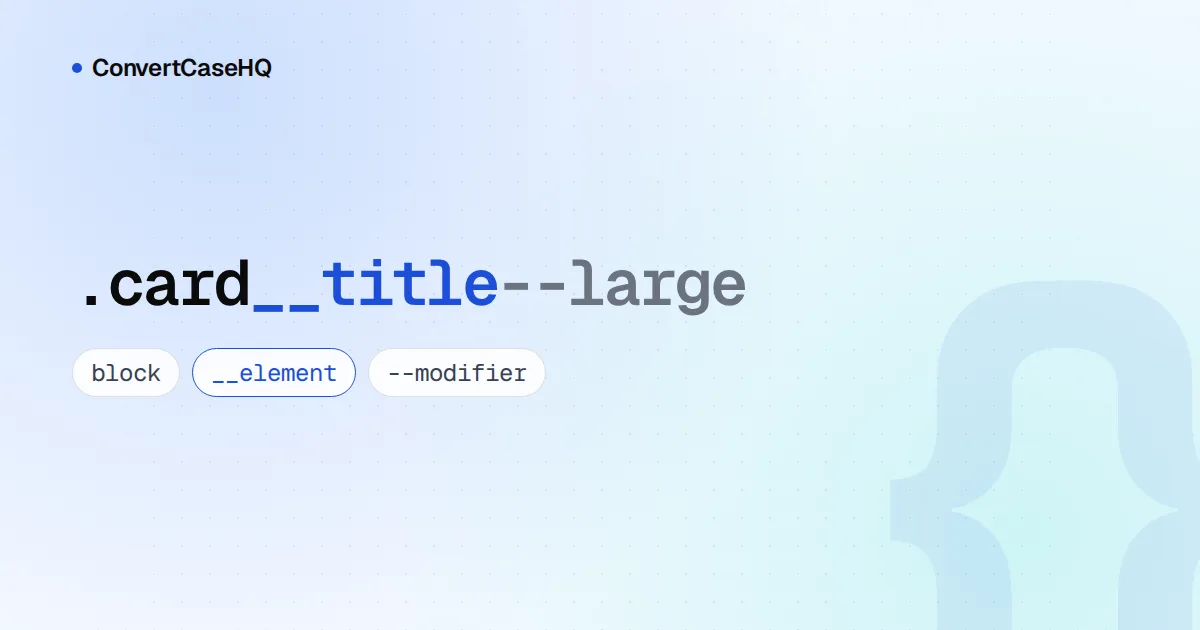
Most CSS class names are written in lowercase kebab-case (.site-header, .price-tag) because that's how CSS names its own things: background-color, font-size, flex-direction. BEM builds on that with a fixed structure, block__element--modifier, so a class like card__title--large tells you which component it belongs to, which part of it it is, and which variant it's showing.
Below: what CSS is and isn't case-sensitive about, why kebab-case became the default, how BEM's naming rules actually read, and when another approach makes BEM unnecessary.
What's case-sensitive in CSS, and what isn't
CSS's own syntax is case-insensitive within the ASCII range, so COLOR: RED works exactly like color: red. Three things work differently:
- Class names are case-sensitive.
.Cardwon't matchclass="card". The one exception is a page in quirks mode, where browsers match class names case-insensitively, which is one more reason to start every page with<!DOCTYPE html>. - Custom properties are case-sensitive.
--brand-colorand--Brand-Colorare two different variables. - HTML element and attribute names aren't. In an HTML document,
DIVanddivselect the same elements. In XML they'd differ.
The simplest way to never think about this again is to keep every class name and custom property lowercase. For how other languages and file systems handle case, see our case sensitivity comparison.
Why kebab-case won for CSS class names
Nothing in CSS forces kebab-case on class names. .cardTitle and .card_title are both valid. Hyphens make sense because everything around a class name already uses them: property names, values like space-between, and HTML attributes such as aria-label and data-user-id. A camelCase class sitting in a hyphenated stylesheet looks like a typo.
JavaScript is where kebab-case gets awkward, because hyphens aren't allowed in identifiers. The browser handles its own cases: data-user-id is read as element.dataset.userId, and background-color becomes element.style.backgroundColor. Class names usually stay strings (classList.add("is-open")), so they don't care.
The exception is CSS Modules. A CSS Module exports its class names to JavaScript as an object, so .card-title has to be written styles["card-title"], while .cardTitle becomes the tidier styles.cardTitle. That's the one setup where we'd switch class names to camelCase.
BEM naming: block, element, modifier
BEM (Block, Element, Modifier) came out of Yandex. The methodology's history page traces the work back to 2005, marks the March 2009 release of Yandex's Lego 2.0 framework as the beginning of BEM, and dates the move to open source to 2010. The naming rules are short:
- Block: a standalone component that makes sense on its own, such as
.card,.search-formor.menu. - Element: a part of a block with no meaning outside it, named block, two underscores, element:
.card__title,.menu__item. - Modifier: a flag that changes appearance, behaviour or state, named block or element, two hyphens, modifier:
.card--featured,.card__button--disabled. A modifier can also be a key and a value:.form--theme-xmas.
Words inside each part are separated by single hyphens, as in .search-form__submit-button. Here's a full component:
<article class="card card--featured">
  <h2 class="card__title">Spring sale</h2>
  <p class="card__body">Everything 20% off this week.</p>
  <a class="card__button card__button--disabled" href="/sale">Shop now</a>
</article>
.card { border: 1px solid #ddd; padding: 1rem; }
.card--featured { border-color: gold; }
.card__title { font-size: 1.25rem; }
.card__button--disabled { opacity: 0.5; pointer-events: none; }Classic BEM vs. the two-dashes style
If you read the methodology's official site, bem.info, the modifiers look different. Its classic scheme separates modifiers with a single underscore: menu_hidden, menu__item_visible, menu__item_type_radio. The -- version is listed there as an alternative, the "Two Dashes style", and it's the one getbem.com documents. Both are legitimate BEM; just don't mix them in one codebase. bem.info also notes a small catch with the dashes: a double hyphen inside an HTML comment can fail validation.
BEM rules that are easy to get wrong
- No elements of elements. A title inside a card's header is still
card__title, notcard__header__title. You can nest elements as deeply as you like in the HTML; the names stay flat. bem.info's reasoning: with chained names, you can't move, add or remove an element without changing existing code. - Modifiers never stand alone. Write
class="button button--primary", notclass="button--primary". The modifier only adds to the base class. - Use single class selectors.
.card__title, not.card .card__titleorh2.card__title. The accepted exception is a block modifier that changes its elements:.card--featured .card__title. - Name modifiers by purpose. This one is our opinion rather than a BEM rule:
--featuredor--errorsurvive a redesign, while--yellowturns into a lie the day the brand colour changes. - Keep JavaScript hooks out of your style classes. Also our opinion: select elements in scripts with a data attribute such as
data-action="close"rather than.card__button, so renaming a class for styling reasons can't break behaviour.
Renaming a block later is mostly search and replace. Paste a template into our find and replace tool, switch on regex mode, and replace card(__|--) with product-card$1: every element and modifier class moves to the new block name, and the match count tells you how many changed. Rename the bare card class separately, so you don't catch unrelated words.
Writing BEM with Sass and with native CSS nesting
Sass's parent selector can add a suffix to the outer selector, and its documentation uses BEM as the example. Native CSS nesting can't do that, and MDN calls this out explicitly: a nested &__title is read as a type selector, so it won't produce .card__title.
// Sass: works
.card {
  &__title { font-size: 1.25rem; }    // compiles to .card__title
  &--featured { border-color: gold; } // compiles to .card--featured
}
/* Native CSS nesting: write the full class names */
.card {
border: 1px solid #ddd;
&.card--featured { border-color: gold; } /* .card.card--featured */
}
.card__title { font-size: 1.25rem; }Beyond BEM: when you don't need it
BEM exists to stop class names from colliding and to make structure visible in a global stylesheet. If something else solves the collision problem, its long names buy less:
- CSS Modules scope class names locally by default, so a plain
.titlein one component can't clash with.titlein another. - Utility-first CSS, such as Tailwind, mostly replaces custom class names with predefined utilities like
font-bold, so naming moves into your components instead. - Small sites with a handful of components often do fine with plain kebab-case and a prefix per component.
Even then, kebab-case remains the safe default for any class name you do write.
Rules of thumb
- Lowercase kebab-case for class names and custom properties, always.
- BEM when many people share one global stylesheet:
block__element--modifier, flat element names, modifiers beside the base class. - camelCase class names only when a tool like CSS Modules exposes them to JavaScript.
Turning a component name into a class? Type "Product Card" into our case converter and the kebab-case button gives you product-card. For the conventions of every other layer of a project, from env vars to URLs, see our developer case cheat sheet.