camelCase vs. PascalCase: What's the Difference?
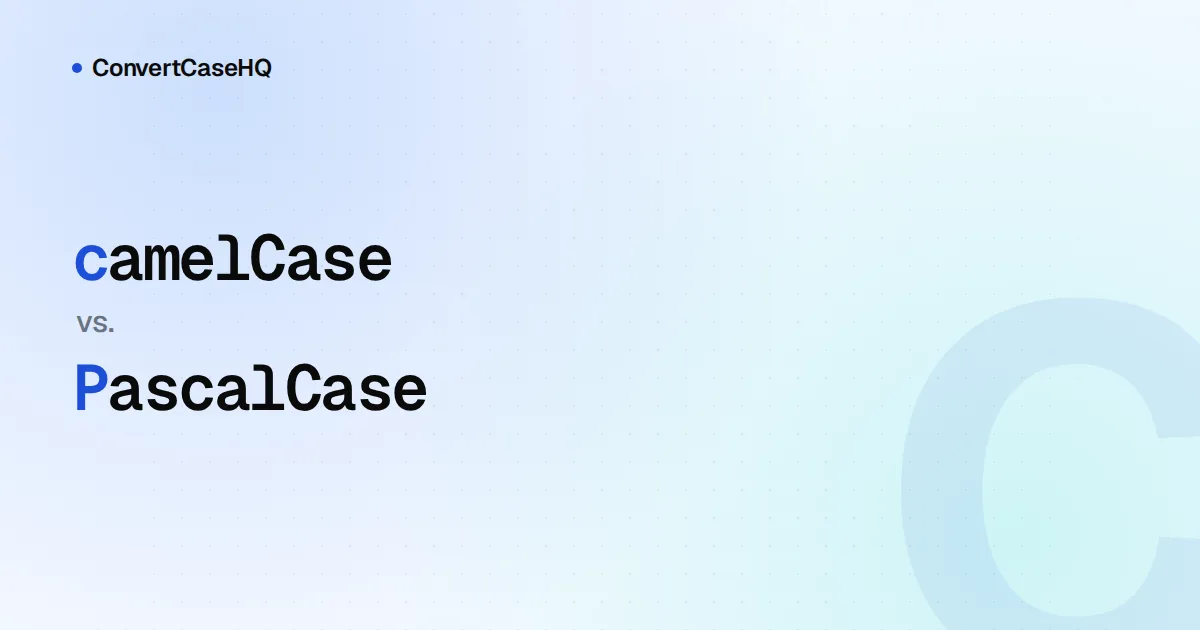
The only difference between camelCase and PascalCase is the first letter. camelCase starts lowercase and capitalizes each later word (userName, parseResponse). PascalCase capitalizes every word, including the first (UserName, ResponseParser). By convention, PascalCase marks types (classes, interfaces, enums, React components) and camelCase marks values and actions (variables, functions, methods, properties).
That one capital letter carries more information than it looks. Below: what it signals, the languages where it's enforced rather than just polite, and the part nobody agrees on, which is acronyms.
camelCase vs. PascalCase at a glance
| camelCase | PascalCase | |
|---|---|---|
| First letter | lowercase | uppercase |
| Other names | lowerCamelCase, mixedCase (PEP 8), camelCasing (Microsoft) | UpperCamelCase, CapWords (PEP 8), StudlyCaps (PHP's PSR-1), PascalCasing (Microsoft) |
| Usually names | variables, functions, methods, properties, parameters | classes, interfaces, type aliases, enums, components |
| Examples | orderCount, sendInvoice() | OrderService, InvoiceStatus |
Watch the vocabulary when you read style guides. Plenty of people say "camel case" for both styles, and PEP 8 even lists CamelCase as another name for CapWords, its term for PascalCase. If a guide's meaning isn't obvious, look at its examples.
Why the first letter matters: types vs. values
The convention lets you read code without looking anything up. In const invoice = new Invoice(order), you can tell at a glance that Invoice is the thing you construct and invoice is the thing you got back. TypeScript signatures work the same way: in function total(order: Order): Money, the lowercase name is the value and the capitalized names are types.
It also lets one word name both a type and a value without a clash, which happens constantly: user: User, config: Config, request: Request. In a case-sensitive language those are different identifiers, and the capital tells the reader which is which.
Where the language enforces it
In JavaScript, Java, C# and Python, the case of a class name is a convention only. Nothing stops you writing class invoice. In JavaScript you can turn the convention into a check with ESLint's new-cap rule: by default it flags new invoice(), and it also flags calling a capitalized function such as Invoice() without new, which is usually a bug. A few languages and frameworks go further and build the rule in.
Go: the first letter is the visibility rule
Go has no public or private keywords. A package-level name, struct field or method is exported if its first letter is uppercase, and private to its package if it's lowercase. PascalCase versus camelCase is how you choose.
package shapes

import "math"

// Circle is exported, so other packages can use it.
type Circle struct {
	Radius float64 // exported field
	label  string  // unexported field
}

// Area is exported.
func Area(c Circle) float64 { return math.Pi * square(c.Radius) }

// square is unexported: only code inside package shapes can call it.
func square(x float64) float64 { return x * x }
c := shapes.Circle{Radius: 2}
fmt.Println(shapes.Area(c)) // fine
fmt.Println(shapes.square(2)) // compile error: square is not exportedThis is also why Effective Go says a getter for an unexported field owner should be called Owner, not GetOwner. The capital letter already tells you it's the public way in.
React: components must be capitalized
React's documentation is blunt about it: component names must start with a capital letter or they won't work. JSX treats a lowercase tag such as <section> as an HTML element and a capitalized one such as <OrderSummary /> as your component.
Ruby: class names are constants
In Ruby, any name starting with an uppercase letter is a constant, and class names have to be constants. class Invoice works; class invoice is a syntax error ("class/module name must be CONSTANT").
Which one to use, language by language
- JavaScript and TypeScript: camelCase for variables, functions, methods and properties; PascalCase for classes, interfaces, type aliases, enums and components.
- Java and Kotlin: the same split, plus capitals with underscores for true constants (
MAX_RETRIES). - C#: PascalCase is far more common than in other languages. Methods, properties, events, public fields, namespaces and even constants are PascalCase; camelCase is for parameters and local variables, with
_camelCasefor private fields. A typical signature looks likepublic decimal CalculateTotal(decimal taxRate). - Swift: PascalCase for types and protocols, camelCase for everything else.
- Go: whichever matches the visibility you want.
- Python: PascalCase for classes only. Functions and variables are snake_case, and PEP 8 allows camelCase only where it's already the prevailing style in older code.
- PHP (PSR-1): PascalCase classes, camelCase methods.
For constants, files and the rest, see our developer case style cheat sheet.
The hard part: acronyms and initialisms
Is it userId or userID? HttpClient or HTTPClient? The major style guides give different answers:
| Guide | Rule | Examples |
|---|---|---|
| Google (JavaScript, TypeScript, Java) | Treat acronyms as ordinary words | xmlHttpRequest, customerId, loadHttpUrl |
| Microsoft .NET | Two-letter acronyms keep both capitals; longer ones capitalize only the first letter | IOStream, ioStream, HtmlTag |
| Go | Keep each acronym in one case | ServeHTTP, appID, xmlHTTPRequest |
| Swift | Acronyms usually written in capitals go all up or all down | utf8Bytes, userSMTPServer |
| Rust | Treat acronyms as one word | Uuid, Stdin |
| Python (PEP 8) | Capitalize the whole acronym in CapWords | HTTPServerError |
| Airbnb JavaScript | All uppercase or all lowercase | SMSContainer, httpRequests |
Our take: if your language's guide has a rule, follow it, because it's what the standard library and your colleagues expect. If it doesn't, treat acronyms as words (HttpClient, userId). Word boundaries stay visible when two acronyms meet (compare XMLHTTPRequest with XmlHttpRequest), and the names survive automatic conversion between case styles. Even the browser's own XMLHttpRequest mixes both approaches in one name.
For more background, Microsoft's capitalization conventions are a good example of a complete rule set written down in one page.
Converting between camelCase and PascalCase
For a simple name, the conversion is one character: change the case of the first letter.
const toPascal = (s) => s.charAt(0).toUpperCase() + s.slice(1);
const toCamel = (s) => s.charAt(0).toLowerCase() + s.slice(1);

toPascal("orderTotal"); // "OrderTotal"
toCamel("OrderTotal");  // "orderTotal"
toCamel("HTMLParser");  // "hTMLParser" (acronyms need a smarter split)
That last line is why tools split names into words first. Here's what ConvertCaseHQ's case converter produces for some awkward inputs:
| Input | camelCase | PascalCase |
|---|---|---|
user id | userId | UserId |
XMLHttpRequest | xmlHttpRequest | XmlHttpRequest |
getUserID | getUserId | GetUserId |
IOError | ioError | IoError |
iPhone | iPhone | IPhone |
It splits on existing capitals and writes acronyms as words, which lines up with Google's rule. If your project follows Go's, .NET's or PEP 8's acronym rules, fix those names by hand afterwards (getUserId becomes getUserID in Go). Brand names are the other trap: no algorithm knows that IPhone looks wrong.
Two easy slips to avoid
The first is capitalizing an instance: const Cart = new ShoppingCart() makes Cart look like a second class, and the next reader will go looking for its definition. The second is a PascalCase helper in JavaScript, such as function FormatPrice(). Unless it's a constructor or a React component, readers will assume it needs new or JSX, and new-cap will complain when you call it without either.
A rule of thumb
If it's a type, or something you construct with new, use PascalCase. If it's a value or an action, use camelCase. Let your language's guide settle acronyms, and let a linter remember the rest. For JavaScript specifics, including constants and private fields, see our JavaScript naming guide.